Category: Technology

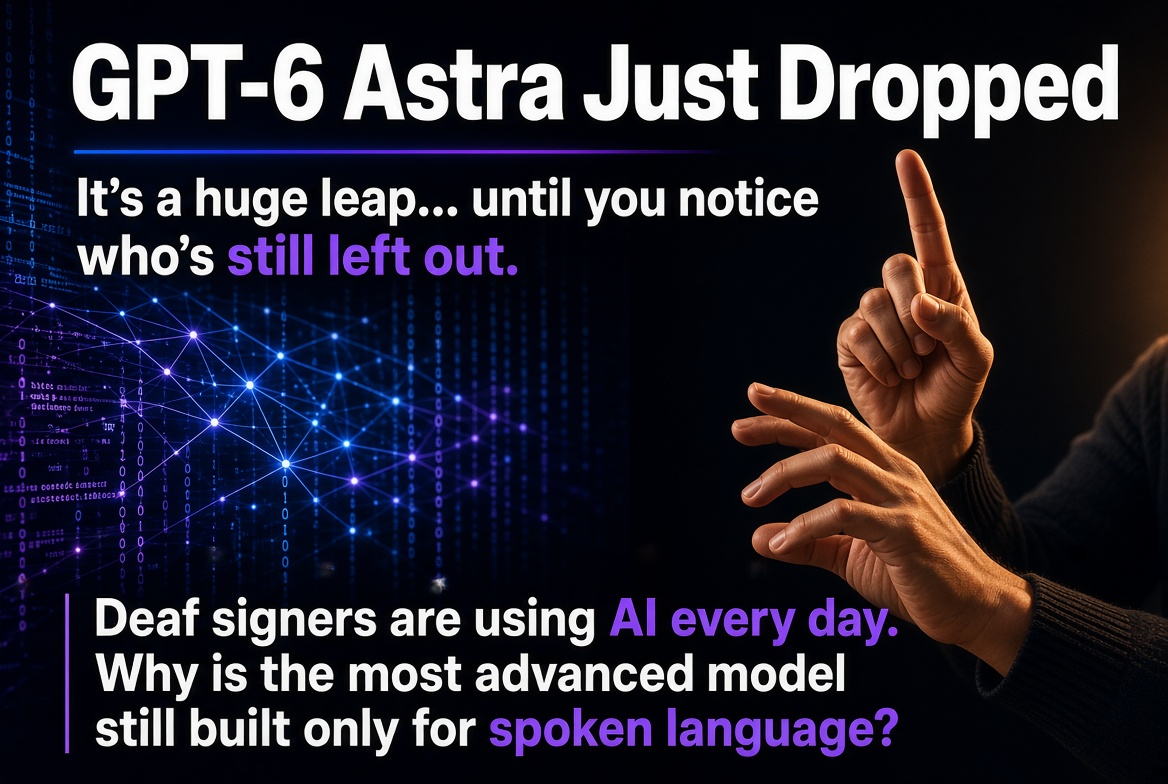
  • GPT-6 Astra is an impressive leap—and it still leaves Deaf signers behind.

    GPT-6 Astra is an impressive leap—and it still leaves Deaf signers behind.

    OpenAI just released GPT-6 Astra, and after watching the announcement video, the jump is real. It’s being called a generational leap: stronger computer use, better multi-step professional workflows, higher accuracy with fewer tokens in many cases, and clear gains on hard benchmarks like ARC-AGI-3 and ExploitBench. The model feels more capable at sustained, end-to-end work than what came before it. That part is exciting.

    But one limitation stands out immediately. Astra remains built around spoken and written language. Input and output still center on text and speech-adjacent interfaces. For the many Deaf people who use sign languages as their primary language, that creates a real barrier. We already use AI every day for work, learning, communication, and creativity. Leaving sign language out of the core interaction model means we stay on the outside of the most advanced systems.

    The technology to close that gap already exists.

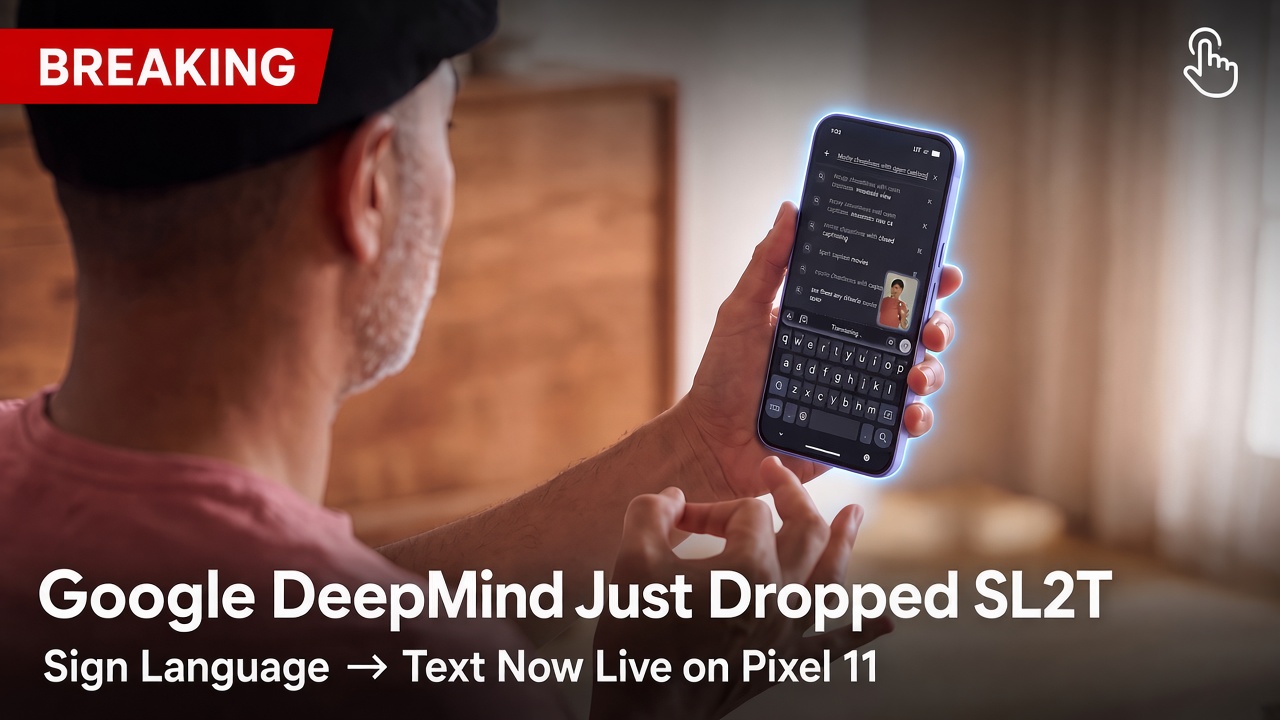
    Google recently launched SL2T (sign-language-to-text) with the Pixel 11. It translates American Sign Language into written English in real time by analyzing handshapes, facial expressions, and body movement. The feature works inside Gboard and Live Transcribe so signers can search, message, draft, or talk to Gemini without switching to typing. Training data covered more than 100,000 hours across dozens of sign languages, and the system was developed with Deaf community input. It’s not perfect and currently limited to Pixel 11 and ASL-to-English, but it proves the direction is viable.

    SignCaption.ai has been building in this space as well. It is available on iOS, Android, and the web, so it works across phones, computers, and other devices. The platform handles automatic captioning of signed video, conversion between signed and spoken content, and related accessibility tools. Because it is web-based and mobile-ready, it already reaches more people without requiring a specific new handset.

    These systems show that real-time, usable sign-language interfaces are no longer speculative. They are shipping.

    What OpenAI should do next

    GPT-6 Astra should incorporate native sign-language support. That means:

    • Accepting video or camera input of signing as a first-class modality alongside text and images.
    • Producing signed output (via avatar or video) when the user prefers it, not only text or speech.
    • Supporting major sign languages with the same seriousness given to spoken languages, starting with ASL and expanding.
    • Designing the experience so Deaf users do not have to translate themselves into the hearing world just to use the most capable model.

    Accessibility here is not a side feature or a checkbox. Sign languages are complete natural languages. Treating them as optional add-ons after the fact keeps an entire community of AI users one step behind. The people building and using these tools daily—Deaf professionals, students, creators, parents—deserve direct access, not workarounds.

    Astra is a genuine milestone in capability and alignment. Making it fully usable by signers would make it a milestone in inclusion as well. The pieces are already on the table. The only question is whether the next version of the most advanced models will finally treat signed languages as equal.

    Here’s the video for those who haven’t seen Astra in action yet.
  • Google DeepMind Launches SL2T: Sign Language AI Now on Pixel 11 Phones

    Google DeepMind Launches SL2T: Sign Language AI Now on Pixel 11 Phones

    Google DeepMind just made one of the most meaningful accessibility advances in AI this year. On August 12, 2026, the company unveiled SL2T (Sign-Language-to-Text), a breakthrough model that finally brings high-quality sign language recognition out of the research lab and onto everyday smartphones.

    Starting with the Pixel 11, SL2T powers a new “sign-to-text” feature in Gboard and Live Transcribe. For the first time, Deaf and hard-of-hearing users can sign in American Sign Language (ASL) directly to their phone camera instead of typing. The phone turns those signs into English text in real time.

    What SL2T Actually Lets You Do

    Anywhere you would normally type on your Pixel 11, you can now sign:

    • Search the web
    • Draft messages, emails, or documents
    • Ask Gemini questions or give it tasks
    • Respond in face-to-face conversations using Live Transcribe

    Early testers told Google that signing in ASL felt faster and more natural than typing English. That alone is a big deal for people who use sign language as their primary language.

    How the Technology Works

    SL2T is deliberately designed with privacy and real-world usability in mind.

    An on-device model called MediaPipe Holistic tracks roughly 130 key points on the signer’s face, hands, arms, and torso. Only those geometric coordinates are sent to the cloud for translation. The original video is discarded immediately and never leaves the device.

    Unlike earlier systems that relied on intermediate “glosses” (fixed labels for individual signs), SL2T translates the sequence of pose landmarks directly into fluent English text. This approach better captures the simultaneous hand, body, and facial movements that give sign languages their full grammatical structure.

    The model was trained on more than 100,000 hours of signing data across over 50 sign languages, with about a quarter of that data in ASL. Training across many languages helped it learn shared patterns and improved performance.

    Performance and Real-World Readiness

    On the challenging FLEURS-ASL benchmark, SL2T scored 70 BLEURT in a zero-shot setting — significantly higher than previously reported results. It also performs well on one-handed signing (important when you’re holding a phone) and reaches 64% exact-match accuracy on mobile fingerspelling data.

    Google specifically optimized for practical issues: lower latency, reduced hallucination when no one is signing, support for left-handed signers, and one-handed use.

    Built With the Deaf Community, Not Just for It

    The project began with Sam Sepah, a Deaf Googler, and Deaf perspectives shaped data collection, testing, and evaluation throughout development.

    Google also established the AI Sign Language Advisory Committee (AISLAC), which includes major organizations such as the National Association of the Deaf and the World Federation of the Deaf. Together they published a joint impact report that clearly defines what SL2T 1.0 is — and is not — intended for.

    The report positions the current version as an assistive tool for informal, low-stakes situations such as messaging, searching, note-taking, and casual conversation. It explicitly states that SL2T should not be used as a substitute for certified interpreters in medical, legal, educational, or official settings, and it does not fulfill legal requirements for reasonable accommodations.

    What’s Coming Next

    ASL-to-English on Pixel 11 is only the starting point. Google plans to expand support to additional sign languages, improve handling of non-manual markers and multi-signer scenarios, add features like punctuation and editing commands, and eventually explore sign language generation.

    The longer-term goal is full parity: making sign languages as accessible and useful across digital products as spoken and written languages already are.

    Why This Matters

    An estimated 70 million people worldwide are Deaf or hard of hearing, and there are more than 200 distinct sign languages. While speech recognition and translation have advanced rapidly, sign language AI has lagged far behind — partly because of technical complexity and partly because of longstanding misconceptions about how sign languages work.

    SL2T does not solve every challenge overnight. Accuracy still drops in poor lighting, extreme camera angles, or with rapid fingerspelling of rare words. But for the first time, a capable sign-language-to-text system is available as a free, everyday feature on a mainstream smartphone.

    That is genuine progress. And for many users, it means their primary language can finally work with the devices they already carry every day.

    SL2T is available now on Pixel 11 in Gboard and Live Transcribe, with broader device support planned. No extra cost.

  • Day 18: Deaf Accessibility Wins – ASL Avatars & AI Translation Tools on the Web

    In the last post, I talked about the rise of ASL in performance, storytelling, and mainstream media. Now let’s shift to the accessibility lens — how ASL is appearing on websites and digital platforms.

    There are growing AI tools that translate text into ASL using avatars or real human interpreters. A few notable ones include:

    • Signapse.ai
    • Signly.co
    • GoPivot.me

    As far as I know, these are not Canadian-based or Canadian-led, and they don’t always use Canadian interpreters. However, they show what’s possible and could be adapted or built upon to enhance access here in Canada without reinventing the wheel.

    Ideally, we’d see ASL/LSQ translations become the standard on websites — seamlessly integrated so users don’t have to click away to a separate page or switch back and forth. Right now, this is still not widespread or the norm.

    With AI tools and technology readily available, making this the standard would be a significant accessibility win for Deaf Canadians.

    Where would you like to see ASL/LSQ translations implemented? Whether it’s government websites, e-commerce, banking, healthcare portals, education platforms, or something else — I’d love to hear your ideas. These conversations can lead to real partnerships and collaborations to push for better web access together.


    What about you? Have you come across websites or apps that do a great job integrating ASL or sign language translation? Or what would seamless web accessibility look like for you?

    Share your examples, ideas, or wishes in the comments!

    See you tomorrow for Day 19!

  • Day 16: Deaf Accessibility Wins – Advocating for Seamless Remote Interpreting

    I’ve been having important conversations with people advocating at the policymaking level. These discussions often happen behind the scenes, but they shape the standards of accessibility across provinces, territories, and the country.

    One key area is interpreting services — whether in-person, VRS (Video Relay Service over the phone), or VRI (Video Remote Interpreting). For remote services especially, we need policies that ensure two-way seamless communication.

    Imagine a hearing person on a phone call dealing with high latency, lag, and choppy audio. It would be frustrating for everyone. The same applies to video calls for Deaf people connecting through interpreters. We need clear, low-latency, high-quality video so both the Deaf caller and the interpreter can communicate effectively without frustration.

    This kind of advocacy happens because we connect with the right people — those who have technical knowledge and lived Deaf experience. By bringing these issues to decision-makers, we can push for better policies and technology in Canada, catching up to (or surpassing) what’s already working well in other countries.

    These behind-the-scenes efforts are real accessibility wins that improve daily life for many.


    What about you? Have you experienced lag or poor quality in video calls or interpreting services? What would “seamless” communication look like for you?

    Share your thoughts in the comments!

    See you tomorrow for Day 17!

  • Day 15: Deaf Accessibility Wins – Deaf-Led AI for Sign Language Recognition

    In yesterday’s post I talked about voice-to-text tools. Today, let’s look at the other side — sign language recognition technology.

    There are already ASL and BSL recognition tools on the market, but two standout Deaf-led projects are particularly exciting:

    • GoSign.ai — They’ve developed fun learning apps, including matching games where users pair ASL signs with images, plus other interactive games to practice sign language.
    • SignCaption.ai — They recently launched a Transcription Mode that significantly improves AI accuracy when translating ASL to English. Without accurate transcription, AI struggles. This feature speeds up the process and reduces errors.

    What makes these tools special is that they are Deaf-led. Having Deaf people involved from the beginning ensures the technology is built with real lived experience, cultural understanding, and practical needs in mind.

    By embracing AI responsibly, we can shape it ethically and make sure the Deaf community is not left behind — but actively leading the way.

    These projects represent exciting accessibility wins in the intersection of technology and Deaf innovation.


    What about you? Have you tried any sign language recognition apps or AI tools? What features would you love to see in future Deaf-led AI technology?

    Share your thoughts and ideas in the comments!

    See you on Monday for Day 16!

  • Day 14: Deaf Accessibility Wins – My Go-To Voice-to-Text Apps

    In yesterday’s post I mentioned that AI will open more doors ahead — especially when accessibility is planned from the start and Deaf people with lived experience are involved in the development process.

    One practical tool I use almost daily on my phone is voice-to-text (and text-to-voice). The app I’ve been using most frequently is Flip-Talk, developed by a Deaf developer. I also used Cardzilla (another Deaf-developed app) for a long time.

    Both are excellent depending on the situation:

    • Cardzilla has larger text sizes.
    • Flip-Talk is clear and easy to read for most people. It has a simple “Start speaking…” prompt that makes it very intuitive for hearing people.

    These apps are fantastic for quick questions, ordering food, brief conversations, and everyday interactions. They’re convenient and effective when you need them.

    There are many other apps out there, but these two have worked best for me. I’ve been relying on Flip-Talk more often lately.

    Of course, the current limitation is that they don’t yet include full ASL or LSQ capabilities. That’s where Deaf-led AI development becomes so important — and I’ll share more about that in tomorrow’s post.

    Tools like these are real accessibility wins that make daily life smoother.


    What about you? What voice-to-text, captioning, or communication app has made the biggest difference for you? Or what’s one tech tool you wish existed for better accessibility?

    Share your recommendations or ideas in the comments!

    See you tomorrow for Day 15!

  • Day 13: Deaf Accessibility Wins – Celebrating 10 Years of Canada VRS

    This year marks 10 years since Canada VRS officially launched on September 28, 2016. While there were earlier discussions, trials, and CRTC decisions leading up to it, the public rollout was a major milestone.

    In the U.S., VRS had already been available since the early 2000s, with commercial rollout in 2003. Companies like Sorenson Media (with dedicated videophones like the VP-100) and better high-speed internet made it practical and popular for Deaf and hard-of-hearing users communicating in ASL through video interpreters.

    I remember making calls from Canada using U.S. VRS services through phone companies like AT&T. It was all done online with a computer, internet connection, and bulky webcams. Not long after, Viable introduced the V-Pad for Deaf Canadians — free to use. There were also early point-to-point video calling options using IP.

    This was a massive shift from the old TTY era. Video Relay Service finally allowed Deaf people to communicate using their primary language — ASL — efficiently and naturally.

    Since then, internet speeds, data, and video quality have improved dramatically. Today we have seamless options like MS Teams, Zoom, FaceTime, and Google Meet. It’s incredible to see how far technology has come in such a short time.

    I believe AI will open even more possibilities in the years ahead.

    Canada VRS has been a significant accessibility win — and it’s worth celebrating its 10-year milestone.


    What about you? How has Video Relay Service (or similar video technology) changed communication in your life? Or what’s one tech advancement that made a big difference for you?

    Share your experiences in the comments!

    See you tomorrow for Day 14!

  • Day 3: Deaf Accessibility Wins – My First VRI On-Demand Experience

    A few weeks ago, we had severe weather — hail, pouring rain, and even a tornado warning. Many homes in the area had flooded basements because their sump pumps stopped working when the power went out. That got me thinking about home systems and accessibility.

    It reminded me of when we needed to replace our old gas-powered boiler. It wasn’t up to code, had asbestos, and the emissions made the basement unsafe for my family. We reached out to a couple of HVAC companies for quotes. When their reps came to our house, it was the first time I tried VRI On-Demand services.

    At the time, it was still a pilot project using U.S.-based interpreters. It was incredibly convenient — no need to pre-book an interpreter. When the reps arrived (often within a wide time window), I could simply connect instantly on the device. I was able to understand the product presentations, ask questions, and make informed decisions.

    That firsthand experience showed me how powerful on-demand interpreting can be for Deaf Canadians. We already have Canada VRS (free for Deaf callers, funded by the CRTC), but VRI On-Demand is different — it’s typically paid for by businesses, organizations, or healthcare providers when serving customers.

    While some VRI On-Demand services exist now, many still rely heavily on non-Canadian interpreters or mixed pools. True accessibility means having reliable Canadian ASL/LSQ interpreters available when needed.

    If you’ve used VRI On-Demand at home, work, or in public — or if this is something you’d like to see more widely available — let me know in the comments!


    What about you? Have you had a positive experience with on-demand interpreting or another accessibility tool that made life easier? Share your story below.

    See you tomorrow for Day 4!

  • ‘Nothing About Us Without Us’: Why AI Accessibility Demands Deaf Leadership


    Author's Note

    This article was originally published on DeafDots on June 5, 2026.

    As the original author, I am republishing it here on my personal blog to make the content accessible to my audience and to continue the conversation around artificial intelligence, accessibility, and Deaf leadership.

    Original publication details:

    Title: "Nothing About Us Without Us: Why AI Accessibility Demands Deaf Leadership"

    Author: Jordan Sangalang, Local Journalism Initiative Reporter

    Originally published by DeafDots on June 5, 2026.

    The article below appears substantially as originally published, with only minor formatting adjustments made for this website.

    By Jordan Sangalang, Local Journalism Initiative Reporter

    As artificial intelligence rapidly embeds itself into Canadian infrastructure—influencing everything from automated workplace tools to emergency alert systems—advocates warn that a major digital divide is forming. Without deliberate intervention, the technology risks leaving behind millions of disabled Canadians.

    Jeffrey Beatty, Chairperson of the Deaf Wireless Canada Consultative Committee (DWCC), is stepping forward to outline the immense opportunities and steep systemic risks AI introduces to the daily lives of Deaf, DeafBlind, and Hard of Hearing (DDBHH) Canadians.

    Speaking strictly from a public accessibility policy perspective, Beatty emphasizes that the rise of AI is fundamentally shifting the landscape of human rights and communication access.

    “For Deaf, DeafBlind, and Hard of Hearing Canadians, this is not just a technology issue,” Beatty states. “It is an accessibility, language, and rights issue.”

    A Tool for Efficiency, Not an Authority

    In his daily policy and advocacy work, Beatty actively leverages AI tools. He uses them to process large quantities of public information concerning telecommunications, regulatory captioning requirements, and digital services.

    “They help me organize information, summarize long documents, improve writing clarity, prepare notes, and compare complex public information,” Beatty explains. He views the technology as a valuable asset for parsing dense, multi-layered regulatory frameworks.

    However, Beatty is quick to draw a hard line between a tool that assists human capability and one that replaces it.

    “I do not treat AI as the final authority. AI can make mistakes, miss context, or give information that sounds confident but is wrong. AI supports the work. It does not replace DDBHH people.”

    For Beatty, the final judgment on any policy piece must remain rooted in human expertise, community accountability, and the lived realities of the DDBHH community.

    The Limitations of Text and Audio-Centric Design

    While text-generation models can streamline administrative tasks or translate complex legalese into plain language, Beatty notes that current mainstream AI design suffers from a deep-seated auditory bias.

    “My biggest concern is that many AI tools are still built around hearing people, speech, audio, and written English,” Beatty says. This structural bias means that users of American Sign Language (ASL), Langue des signes québécoise (LSQ), and Indigenous Sign Languages (ISLs) are frequently excluded or fundamentally misunderstood by modern algorithms.

    True communication access extends far beyond basic English text transcription. Sign languages are distinct, complete languages featuring complex spatial structures and cultural nuances.

    “Many Deaf people use ASL, LSQ, or ISLs which include visual grammar, facial expression, movement, space, and culture. AI tools must respect that,” Beatty says. He notes that poorly trained models regularly generate inaccurate captions, broken translations, or digital avatars that completely fail to replicate real sign language syntax.

    Furthermore, Beatty highlights serious emerging risks regarding data sovereignty, consent, and safety. Because sign languages are inherently visual, training AI translation tools requires vast amounts of video data—raising critical concerns about personal privacy, digital identity ownership, and the targeted misuse of deepfake technology.

    A Vision for Deaf-Led Governance

    To prevent these technologies from further marginalizing communities, Beatty calls for a complete overhaul of how accessibility is handled in tech development. Historically, accessibility features have been treated as an afterthought—tacked onto a product right before release.

    Beatty argues that the DDBHH community must be structurally integrated into the entire lifecycle of AI development, moving from passive consumers to systemic leaders.

    “In the future, I hope DDBHH Canadians are not only users of AI,” Beatty shares. “We should be leaders, testers, researchers, educators, policy advisors, and decision-makers.”

    The ultimate goal is to see AI safely deployed to improve automated captioning accuracy, strengthen localized emergency communications, and lower barriers to public services—but strictly under a framework of cultural respect and Deaf-led governance.

    “My hope is simple,” says Beatty. “AI should not speak for DDBHH people. AI should support DDBHH people, with DDBHH leadership built in from the start.”

    Watch the full video interview below to hear Jeffrey Beatty’s complete perspective on AI policy and accessibility in Canada:

    Play Video Interview.
    Note: Video will pop up when pressing ‘Play’

    Have Your Say

    How is artificial intelligence affecting your daily access to services, employment, or education? Should the Canadian government mandate disabled and Deaf leadership when setting national AI accessibility standards?

    Leave your thoughts and experiences in the comments section below.


    About This Article

    This article was originally reported and written by Jordan Sangalang and first published by DeafDots on June 5, 2026. It is republished here by the author to support ongoing discussions about AI accessibility, Deaf leadership, and inclusive technology policy in Canada.